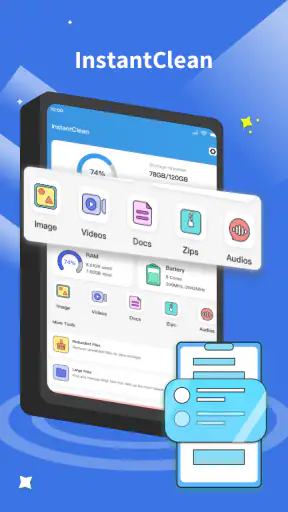
InstantClean
4.684.00Reviews
Analysis ByAppCompare
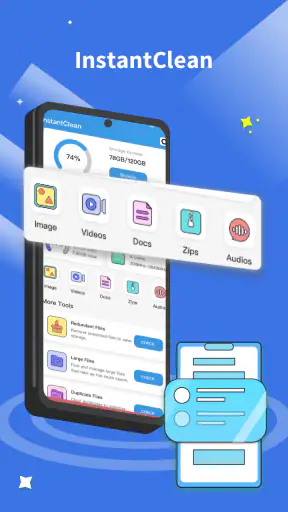
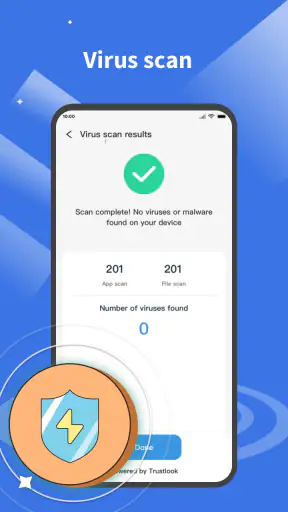
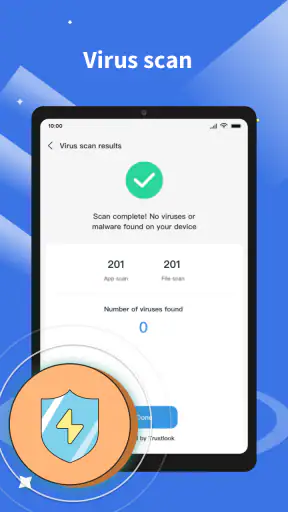
Managing a phone becomes noticeably harder when storage is crowded, suspicious files are a concern, and the usual file browser leaves you jumping between folders. InstantClean is built for that exact kind of cleanup session. I tested it as a practical tools app rather than treating it like a flashy performance booster, and my impression is straightforward: it is most useful when you want a single place to inspect files and run a virus scan without paying for the basic experience.
What makes the app interesting is the combination of two jobs that are normally separated. File management helps you understand what is taking up space, while virus scanning gives you another reason to review downloads and unfamiliar items. That combination does not turn every storage problem into a one-tap fix, but it can make routine phone maintenance feel more deliberate. InstantClean works best as a checking and organizing tool, not as a magic button for making an older phone fast.
How InstantClean fits into everyday phone maintenance
AAP.C is the developer behind this Android tools app, which is free to use and aimed at Everyone. It has reached over one million installs and holds a 4.6 average from around 6,800 ratings, so it has already attracted a substantial audience for a relatively focused utility. The current version is 1.0.8, and it runs on Android 7.0 or later.
I like that the app’s purpose is easy to understand. You open it when you need to examine the contents of a phone, remove unnecessary clutter, or check whether a file deserves more attention. The useful distinction is between finding something and deciding what to do with it. A cleaner can point toward items that look disposable, but the final decision still belongs to you. That matters because screenshots, downloaded documents, duplicate-looking images, and old installers can sometimes be important even when they appear unhelpful at first glance.
In my experience, the safest way to use a tool like this is to treat its suggestions as a shortlist. I review the names, locations, and file types before deleting anything. This small habit prevents the most common cleanup mistake: removing a file simply because its name is unfamiliar. InstantClean is more valuable when it helps me see the phone clearly than when I expect it to make every decision for me.
Where connectivity affects the experience
The most important network-related point is that a file manager and a virus scanner do not behave exactly like one another. Browsing files stored on the device is a different activity from any scan process that may need current security information or another network-dependent component. I therefore avoid assuming that every part of the app behaves identically when the connection is weak or unavailable.
This changes how I plan a cleanup. If I am at home with a reliable connection, I can begin with the security side and then move into organization. If I am traveling, I first inspect what is already visible on the phone and postpone anything that appears to require a connection until I can use a network I trust. That approach avoids wasting mobile data and prevents a half-finished check from being mistaken for a complete one.
A useful practical test is to separate the session into two stages. First, review the file list and identify obvious categories such as old downloads or repeated media. Second, run the security check when connectivity is stable, then revisit any item that needs a closer look. This is less convenient than pressing one button and walking away, but it produces a more reliable routine because I know which part of the work I actually completed.
I also pay attention to interruptions. A train journey, a lift ride, or a move between Wi-Fi and mobile data can break the rhythm of a scan. Rather than repeatedly tapping the same control, I wait until the connection settles and start again only when the app is ready. That is a small detail, but it is one of the differences between a useful maintenance habit and a confusing one.
Using it on a phone rather than at a desk
InstantClean makes the most sense in mobile situations because phone storage problems usually appear at inconvenient times. I might be trying to record a video, download a ticket, save a work attachment, or install an update when the device suddenly reports that space is low. In those moments, a focused file tool is more practical than manually opening several folders and guessing which items are safe to remove.
My preferred workflow is to begin with the largest or most disposable-looking group rather than scanning every folder randomly. Downloads are a natural starting point because they often contain files that were needed once and forgotten. Images require more care, especially when messaging apps and camera folders contain similar copies. I inspect the context before deleting, because a picture that looks duplicated may be the only version stored locally.
There is also a useful privacy angle to this mobile workflow. A phone can collect sensitive documents, temporary images, and files received through conversations. Reviewing them periodically helps me notice what is still sitting on the device. I do not regard a cleanup app as a replacement for careful privacy habits, but it can make those habits easier to practice because the review happens in one place.
For someone who regularly transfers files between a phone and a computer, the app can serve as a final inspection step before moving material elsewhere. I can check whether an old download is still needed, remove obvious leftovers, and then transfer only the files I intend to keep. That reduces the chance of carrying years of clutter from one device to another.
The trade-off is screen size. A phone is convenient, but comparing many similar files on a small display can be tiring. If I am sorting a large photo collection or renaming a complicated set of documents, a desktop file manager remains more comfortable. InstantClean is better for quick decisions and routine checks than for detailed archival work.
A realistic cleanup session
Imagine I am preparing for a weekend away and discover that the phone is nearly full. I open InstantClean before leaving, review the downloads, and find an old document, several temporary images, and a video I already copied elsewhere. I remove only the items I recognize, leaving anything ambiguous in place. I then run the virus scan while connected to a dependable network and check the result instead of assuming that the process completed simply because I started it.
That scenario shows the app’s strongest everyday role. It does not require me to become an expert in storage systems, and it gives me a reason to combine organization with a security check. The key is restraint. I would not delete an entire category just to create space, and I would not interpret a clean-looking folder as proof that every file is harmless.
A second useful situation is after receiving several attachments for work or school. I can review the files once the task is finished, remove obsolete copies, and scan unfamiliar items before opening them again. This is especially helpful when the sender used vague filenames or when multiple versions of the same document have accumulated.
What happens when a scan or cleanup is interrupted
Any maintenance tool needs a recovery plan, and mine is simple: stop, identify what finished, and repeat only the unfinished part. If a connection drops during a scan, I do not treat the partial result as a final verdict. I reconnect, reopen the relevant function, and run the check again when conditions are stable. If the app closes while I am reviewing files, I return to the folder and verify the remaining items manually.
This cautious approach is important because cleanup and security checks have different consequences. A missed scan can be repeated. An accidental deletion may be much harder to undo. Before removing anything significant, I copy important material to a location I trust and confirm that the backup is usable rather than merely assuming that a transfer succeeded.
I also avoid cleaning while the phone is busy with another sensitive task, such as recording, installing an update, or transferring a large group of files. Waiting a few minutes can prevent confusion about whether a file is still needed. InstantClean is most comfortable when I give it a clear job instead of asking it to compete with several other processes at once.
One limitation is that convenience can encourage overconfidence. A scan result may feel authoritative, but responsible file handling still requires checking where an item came from and whether I expected it. Likewise, a tidy storage view does not guarantee that the phone will suddenly feel faster. Space management, security review, and overall device performance are related, but they are not the same problem.
Keeping mobile data under control
Because the app combines file work with virus scanning, I use it selectively when I am away from Wi-Fi. I first handle tasks that are clearly local, such as reviewing names and deciding which personal files are no longer needed. Then I reserve the scan for a time when I can avoid unnecessary mobile-data use. This is a better habit than repeatedly starting a scan whenever the connection changes.
People with limited data plans should also avoid turning every small storage change into a full maintenance session. A short, purposeful review is enough for an urgent space problem. For a broader audit, I wait until the phone is connected to a network I trust. That gives the security side of the workflow a more stable setting and makes interruptions less likely.
There is a privacy trade-off whenever a security tool interacts with network services, so I prefer to understand the moment at which connectivity matters instead of leaving the app running without attention. I keep the process visible, read the result, and close the session when finished. This is not difficult, but it is more responsible than treating a scanner as background decoration.
Another practical tip is to avoid deleting files merely to reduce a number on the storage screen. I sort by purpose: files that are definitely disposable, files that should be archived, and files that need more investigation. This three-way split is more useful than a simple “keep or remove” decision, especially on a phone used for both personal and work material.
Who should use it, and who should choose another route?
I would recommend InstantClean to someone who wants a straightforward Android utility for combining file review with virus scanning. It is a good fit for people who download many attachments, frequently receive media through messaging apps, or prefer a guided cleanup instead of navigating the file system alone. It is also suitable for users who want a free starting point rather than committing to a paid maintenance suite.
I would be more cautious about recommending it to someone who needs advanced desktop-style file operations. If your work involves complex folder synchronization, detailed batch renaming, extensive archive management, or precise transfer controls, a dedicated file manager on a larger screen may be the better choice. Similarly, users who only want a basic storage overview may find the security side unnecessary.
It is also not the right answer for every performance complaint. If a phone is slow because of an aging battery, demanding background applications, or an outdated operating system, deleting a few files may not solve the underlying issue. InstantClean can help with organization and inspection, but it should not replace normal device maintenance or sensible backup practices.
Compared with the usual alternatives, its appeal is the combined workflow. A built-in file manager may be perfectly adequate for moving folders, while a separate security app may offer a deeper security-focused experience. InstantClean sits between those approaches: more purposeful than a basic folder browser for this particular cleanup-and-check routine, but not necessarily the best specialist tool for every advanced task.
My verdict on connected, careful cleanup
After using InstantClean as a regular phone-maintenance tool, I see its value in the decisions it helps organize. The app brings file management and virus scanning into the same routine, which is convenient when storage is tight or unfamiliar downloads have piled up. Its free price and Everyone rating make it approachable, and the broad adoption reflected in its rating gives it a reassuring starting point for ordinary users.
My main advice is to use it deliberately. Check files before deleting them, separate local organization from any network-dependent scan activity, and repeat interrupted checks rather than trusting incomplete results. Those habits make the app more useful and reduce the risk of treating automation as certainty.
InstantClean is a sensible choice when you want one mobile tool for reviewing clutter and checking files, especially if you value a simple workflow over specialist controls. I would choose it for regular, focused maintenance and keep a more advanced file manager available for complicated transfers or archives. Used that way, it feels practical rather than exaggerated: a helpful companion for a cleaner, more considered phone, provided I remain involved in the final decisions.
FAQ
What is InstantClean and what does it do?
InstantClean is a mobile cleaning and optimization app designed to help users manage unnecessary files, cached data, duplicate content, and other items that may occupy storage space. After scanning your device, it generally presents suggested files for review and removal. Its usefulness depends on your phone model and operating system, so you should check the selected items carefully before confirming any cleanup.
Is InstantClean safe to use on my Android or iPhone?
InstantClean can be useful when used carefully, but no cleaning application should be granted permissions without reviewing what it requests. Before running a scan, examine its access to storage, photos, notifications, or other device information. We also recommend downloading it only from the official Google Play Store or Apple App Store and checking the developer, privacy policy, ratings, and recent user feedback.
Can InstantClean delete important photos, videos, or personal files?
Any app that offers storage cleanup may identify files that look unnecessary, including large videos, duplicates, screenshots, downloads, or cached content. InstantClean should normally provide a review screen before deletion, but users should still inspect every category and selected item manually. Back up important files first, and avoid using automatic cleanup if you are unsure about what a suggested file contains.
Does InstantClean improve phone performance or battery life?
InstantClean may free storage space and remove temporary data, which can make a device feel less cluttered, particularly when storage is nearly full. However, it cannot permanently solve every performance or battery problem. Closing apps repeatedly or deleting small cache files may have limited benefits. For better results, combine cleanup with system updates, uninstall unused apps, and investigate battery-heavy applications.
Is InstantClean free, and does it include advertisements or subscriptions?
The availability of free tools, advertisements, premium features, and subscription plans can vary depending on the version of InstantClean and the platform where it is downloaded. Review the app’s store listing and in-app purchase screen before starting a trial or accepting payment. Pay particular attention to renewal terms, cancellation instructions, and whether important cleaning features are restricted to paying users.
Pros
- Quickly identifies junk files and unused data.
- Simple interface that is easy for first-time users.
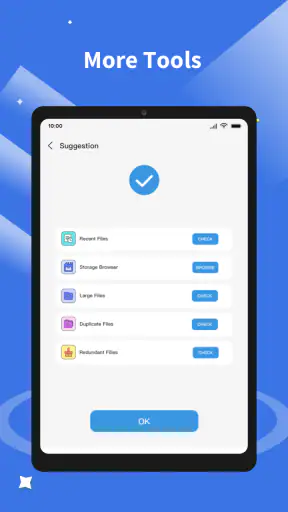
- Includes tools for managing large files and duplicate photos.
- Can help free storage without requiring technical knowledge.
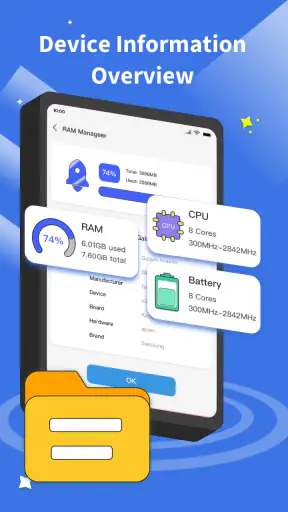
- Offers battery and memory optimization features in one place.
Cons
- Some cleaning recommendations may require manual review.
- Optimization results can vary depending on the device and Android version.
- Extra features may be limited behind premium access.
- Aggressive cleanup could remove files you intended to keep.
- Frequent notifications may feel intrusive for some users.